
Home › Models › BYD Dolphin Surf › Repair › Battery & Charging
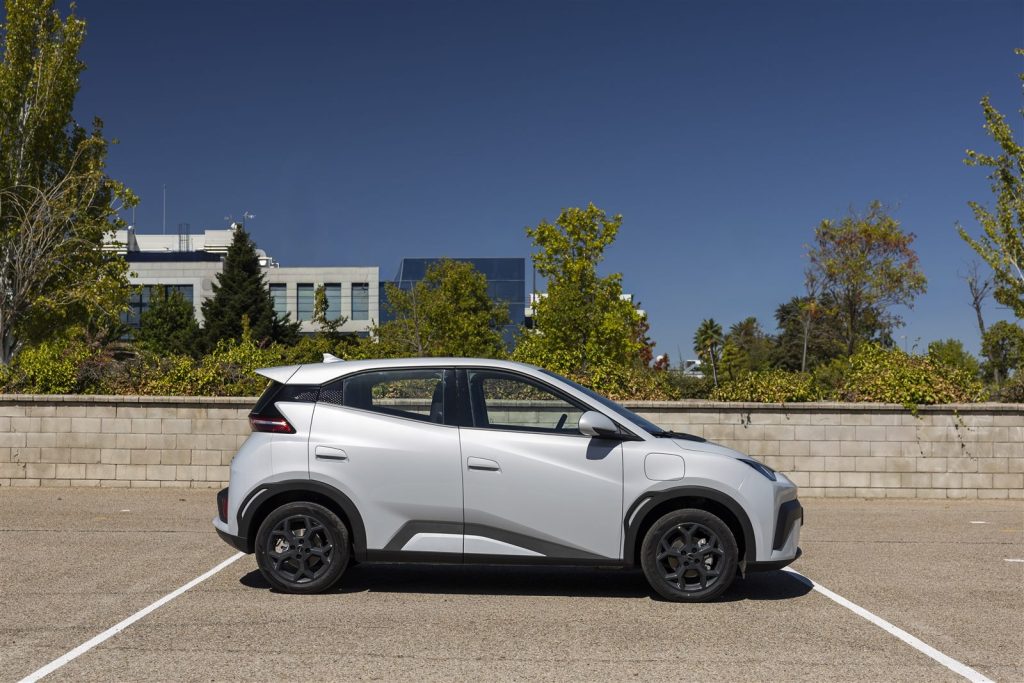
The BYD Dolphin Surf is powered by a high-voltage traction battery, specifically the Blade Battery (Lithium Iron Phosphate). The electrical system also includes a sophisticated 8-in-1 electric powertrain and a CCS2 charging port. This guide covers what you should know about maintaining these systems and what to do if you suspect a fault.
Contents
- BYD DOLPHIN SURF battery repair
- BYD DOLPHIN SURF charging port repair
- Warning signs and safe checks
- Booking a diagnostic
- Frequently asked questions
- See also
- Sources
BYD DOLPHIN SURF battery repair
Any BYD DOLPHIN SURF battery repair is dangerous work. The traction battery operates at a high voltage. High-voltage components must not be opened by owners under any circumstances. If the battery management controller detects an issue, it will display a warning on the 7-inch digital instrument panel.
Because the battery pack is integrated into the e-Platform 3.0 floor structure, diagnosing and repairing cell modules or the management system must be carried out by an authorised BYD dealer. The vehicle is covered by an specific manufacturer warranty on the battery, so BYD’s own procedure applies to all assessment and warranty claims.
BYD DOLPHIN SURF charging port repair
The vehicle is equipped with a CCS2 standard port for both AC and DC charging. If you cannot initiate a charge, you may need a BYD DOLPHIN SURF charging port repair.
Before assuming the port is broken, check your owner’s manual for basic troubleshooting steps. Inspect the port visually to ensure there is no debris blocking the pins. Test the connection with a different public charger or try both the supplied Mode 2 and Mode 3 Type 2 cables to rule out a faulty cable. If the locking pin in the port fails to engage or disengage, do not force the cable. Confirm with an authorised BYD dealer or service centre to have the locking mechanism safely repaired.
Warning signs and safe checks
Owners can perform safe, visual checks:
- Monitor the dashboard for any battery fault icons or reduced power mode messages.
- Visually inspect the charging cables for damage to the insulation.
- Ensure the charging port flap opens and closes smoothly.
Do not attempt to touch any wiring marked with orange insulation, as this denotes high voltage. The system is designed with multiple fail-safes, but professional intervention is required for any physical repairs to the powertrain.
Booking a diagnostic
If the vehicle fails to charge, reports a drastic reduction in range, or displays a high-voltage system error, stop using the vehicle if advised by the manual. Contact an authorised BYD service centre to book a diagnostic scan. They will plug into the OBD port to read the precise error codes generated by the vehicle control unit.
Frequently asked questions
What should I do if the charging cable gets stuck?
Check your owner’s manual for the emergency release procedure. Do not attempt to forcefully pull the cable out, as this can damage the port.
Does the warranty cover a degraded battery?
Yes, the specific traction battery warranty covers the pack if its State of Health drops below the manufacturer threshold within the warranty period.
Can a local mechanic repair the charging port?
Because the charging port is connected to the high-voltage distribution box and onboard charger, the work is for an authorised BYD dealer or a qualified workshop with EV certification.
Why won’t the V2L system turn on?
If the Vehicle-to-Load (V2L) power strip is not working, check the touchscreen settings to ensure V2L discharge is enabled and that the traction battery has sufficient charge remaining.
Is the 12V battery the same as the traction battery?
No, the 12V battery powers the low-voltage electronics (like the touchscreen and locks), while the traction battery powers the electric motor.
See also
- BYD Dolphin Surf repair hub
- BYD Dolphin Surf warranty, insurance and servicing
- Where is the charging port in the BYD Dolphin Surf?
Sources
- BYD UK model information: https://www.byd.com/uk
- BYD UK media site: https://bydukmedia.com
- Owner’s manual for your model – ask your BYD dealer