
Home › Models › BYD Shark › Repair › Infotainment & Software
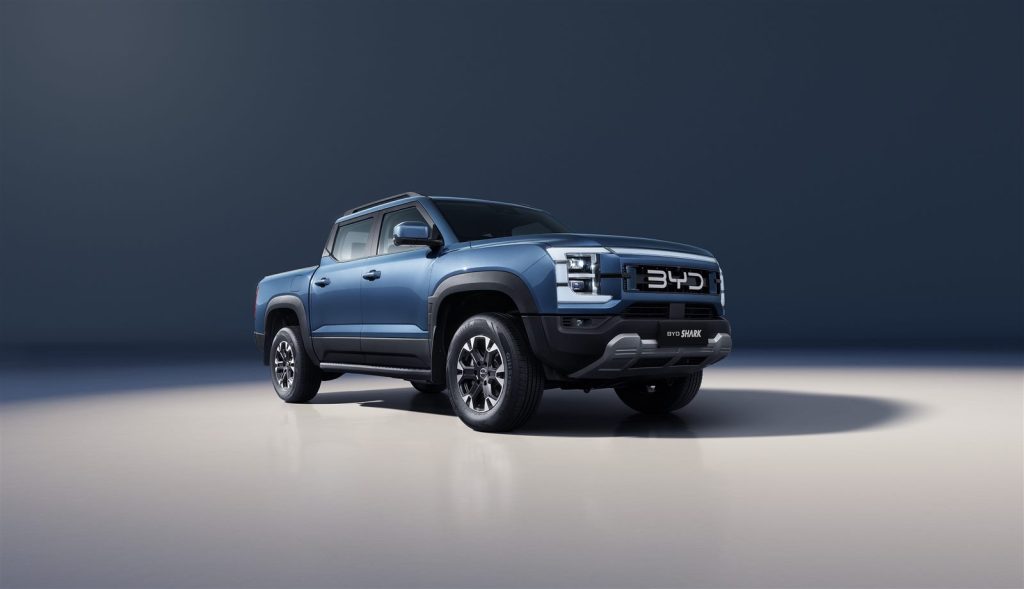
The interior of the BYD SHARK pickup is heavily reliant on advanced digital interfaces. The cabin features a 15.6-inch infotainment touchscreen—the largest in any pickup—alongside a 10.25-inch digital instrument panel, a head-up display (HUD), and a 12-speaker Dynaudio sound system. Managing these systems requires up-to-date software and functioning hardware. This guide explains how to troubleshoot connectivity issues and when to seek professional repair.
Contents
- BYD SHARK touchscreen repair
- BYD SHARK software update
- Smartphone connectivity troubleshooting
- Professional diagnostics
- Frequently asked questions
- See also
- Sources
BYD SHARK touchscreen repair
The central 15.6-inch touchscreen is the primary control hub for navigation, media, climate control, and adjusting the settings for the Super Hybrid DMO powertrain. If the screen becomes unresponsive, registers phantom touches, or goes completely blank, it can severely restrict your ability to operate the vehicle comfortably.
An unresponsive interface can be resolved by a simple system reboot. Always check your owner’s manual for the correct sequence of buttons to force-restart the infotainment unit. If the screen has suffered physical damage, such as a cracked glass panel, a physical BYD SHARK touchscreen repair will be required. This is not a DIY task; you must confirm with an authorised BYD dealer to have the unit safely extracted and replaced, as BYD’s own procedure applies to ensure the new screen is correctly paired with the vehicle’s computer.
BYD SHARK software update
To maintain optimal performance and introduce new features, the manufacturer may release new software versions. A BYD SHARK software update can improve the responsiveness of the voice assistant or update the built-in navigation maps.
Owners should check their owner’s manual to understand how software updates are managed. For major system updates or if an installation fails, you should book an appointment with an authorised service centre, where technicians can apply the update using dedicated diagnostic equipment.
Smartphone connectivity troubleshooting
The vehicle supports wireless Apple CarPlay and Android Auto, complemented by a 50 W wireless phone charging pad in the centre console. If you experience connection drops, you can perform safe, user-level checks without needing technical tools.
| Issue | Recommended owner checks |
|---|---|
| BYD SHARK Apple CarPlay not working | Ensure Wi-Fi and Bluetooth are active on your iPhone. Restart the phone and the vehicle’s infotainment system. |
| BYD SHARK Android Auto not working | Check that the Android Auto app is updated on your smartphone. Delete the Bluetooth pairing profile and reconnect. |
| Wireless charging failure | Remove thick phone cases and ensure no metal objects are on the 50 W charging pad. |
| Audio dropouts | Test a different smartphone to determine if the fault lies with the vehicle’s 12-speaker Dynaudio system or the device. |
If these steps do not resolve the issue, a wired connection via a high-quality USB cable can bypass wireless interference.
Professional diagnostics
While some software glitches can be resolved by the user, persistent faults with the digital instrument panel, head-up display, or the 360° camera feed require professional attention. The electrical architecture supporting these displays is complex.
Never attempt to dismantle the dashboard to check wiring harnesses yourself. Confirm with an authorised BYD service centre to diagnose persistent software bugs or hardware failures. They have access to the manufacturer’s secure software servers and can safely perform necessary repairs under warranty conditions.
Frequently asked questions
What should I do if my BYD SHARK Android Auto is not working?
First, restart your smartphone and the vehicle’s 15.6-inch touchscreen. If it still fails, try deleting the Bluetooth connection and pairing the devices again, or test with a USB cable.
How much does a BYD SHARK touchscreen repair cost?
If the screen is physically broken by impact, it will likely not be covered by the manufacturer’s warranty. Confirm with an authorised BYD dealer for a replacement quote.
Can I install a BYD SHARK software update myself?
Check your owner’s manual for information on how software updates are managed for this vehicle.
Why is BYD SHARK Apple CarPlay not working wirelessly?
Wireless interference or an outdated iOS version on your phone can cause connection issues. Ensure your phone’s software is up to date and Wi-Fi is enabled.
Does the vehicle have a voice assistant?
Yes, the infotainment system includes a built-in voice assistant to control various functions hands-free. If it stops responding, a system reboot may be required.
Next steps
If a simple system reboot does not solve your display or connectivity issues, contact your local BYD dealer to book a diagnostic check.
See also
Sources
- BYD UK model information: https://www.byd.com/uk
- BYD UK media site: https://bydukmedia.com
- Owner’s manual for your model – ask your BYD dealer